
SME IT Network Optimization & Performance Engineering
We tune sluggish local office networks, eliminate application latency, and replace unmanaged wiring setups with high-speed structured routing. Our optimization blueprints keep business infrastructure operating at full capacity across Kolkata, Ahmedabad, and PAN-India workplaces.
The Mechanics of Workspace Network Tuning
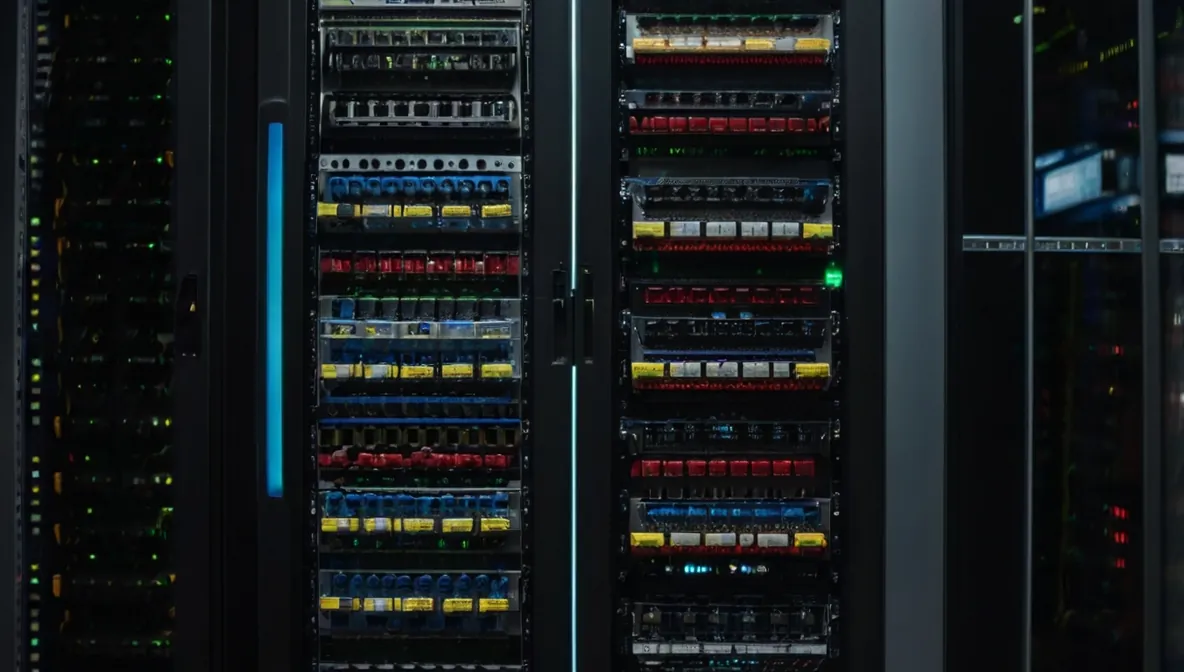 Figure 1: Managed structured routing optimization mapping for local area workspace networks.
Small business networks often expand haphazardly over time. Adding consumer desktop switches under desks and daisy-chaining unmanaged splitters creates packet collision loops that silently degrade bandwidth throughout the office.
Network optimization resolves this structural congestion. We evaluate physical topologies and data pathways, organize server racks, deploy managed switching, and configure traffic routing to keep local data flowing cleanly.
The Financial Impact of Infrastructure Bottlenecks
Sluggish networks erode team productivity. When accounting systems take minutes to save a single entry, staff spends time waiting on network latency rather than completing work. Unmanaged networks also lack basic subnet boundaries, allowing a single compromised workstation to expose shared server directories. Proper segmentation establishes a secure digital foundation that protects business data.
Real-World Production Deployments
In a recent deployment, our engineering desk upgraded a commercial office network operating on legacy Cat5 cabling that was generating transmission errors. Cable speed limitations caused noticeable bottlenecks during file transfers and database access.
We replaced the legacy cabling with structured Cat6 runs over a weekend, terminating drops into patch panels and segmenting the floor into dedicated VLAN subnets. The cutover completed with zero operational downtime, doubling data transfer speeds and eliminating packet timeouts.
| Network Vector | Legacy SME Bottleneck | Optimized Infrastructure Standard |
|---|---|---|
| Cabling Infrastructure | Daisy-chained, loose Cat5 patch cords causing packet collisions. | Structured Cat6 copper cabling certified for gigabit data loads. |
| Bandwidth Control | Generic web downloads choking business application traffic paths. | Strict Quality of Service (QoS) rules prioritising ERP packets. |
| Wireless Coverage | Basic home routers overheating under multi-user office loads. | Managed Wireless Access Points with seamless roaming profiles. |
Common Small Business Configuration Errors
Unmanaged local workspaces frequently experience avoidable connection issues. Unbranded patch cords and poorly crimped connectors cause packet drops, leading to intermittent disconnections from shared file servers.
Another common gap is operating an office network without bandwidth prioritization. If a single user starts large downloads on an unshaped line, shared business applications suffer. Enforcing Quality of Service (QoS) policies ensures mission-critical database traffic always receives priority.
Field-Tested Steps for Network Optimization
- Trace and label active lines: Map physical drops to patch panels, identifying and retiring dead cable runs.
- separate core database servers: Place accounting and database servers on dedicated, restricted subnets separate from general browsing traffic.
- Configure Layer-2 managed switching: Segment office workstations into independent VLANs to prevent broadcast packet storms from slowing down the network.
- Deploy enterprise wireless access points: Position ceiling-mounted access points away from physical obstructions, matching our Managed IT Support standards.
- Harden the network gateway: Enforce deep packet filtering and bandwidth management rules via an enterprise UTM Firewall.
Frequently Asked Questions (FAQs)
Why is structured cabling better than relying entirely on Wi-Fi?
Wireless signals are susceptible to physical interference, concrete walls, and device congestion. Certified Cat6 copper cabling provides dedicated gigabit throughput to every desk without dropouts, ensuring consistent performance for database and ERP access.
How long does a network cleanup and rack dressing project take?
Standard network cleanups take 24 to 48 hours. Physical tracing, cable dressing, and subnet configuration are executed over weekend maintenance windows, allowing staff to return Monday morning to an organized, fully functional network.
Our Hardened Workspace Optimization Stack
- Structured Cabling Overhauls: Designing and running clean Cat6 copper pathways to eliminate packet drops across your physical office floors.
- VLAN Partitioning & Subnetting: Segmenting your corporate local area network into isolated data pools to protect confidential financial files from unauthorized internal access.
- Bandwidth Traffic Shaping: Deploying strict Quality of Service (QoS) rules to promise your ERP systems always get top priority over generic web traffic.
- Server Rack Dressing: Cleaning up cluttered server cabinets, organizing power lines, and updating cooling layouts to prevent system lockups from hardware overheating.
- Wireless Network Engineering: Configuring centralized, secure access points to provide seamless wireless roaming profiles throughout your corporate workspace.
- Hybrid Data Protection: Integrating local database backups with off-site cloud replication engines, working hand-in-hand with our Enterprise Cloud Backup vaults.